
Yuki Guide
Booking links
Share one link and let people pick a time that suits you both — no Yuki account needed.
A booking link is a web page where other people can book time with you. You set when you’re available; they pick a time that suits them; the booking lands in your Yuki calendar. They don’t need a Yuki account.
Create a booking link
- 1Open Calendar and tap Booking link in the header (on the web, Booking links is also in the sidebar).
- 2Tap New booking link and give it a name and a length, such as a 30-minute intro call.
- 3Choose where you meet (Phone, In person, Video link, or Google Meet on Pro) and the days and hours you are available, in your own time zone.
- 4Choose where booked events go (Yuki calendar, and Google Calendar on Pro), then any breaks before or after, the minimum notice, how far ahead people can book and a daily maximum.
- 5Tap Create link, then copy or share the link.
What the person booking sees
- Only your free times — never what’s in your calendar — shown in their own time zone.
- Pick a day, pick a time, then their email and, if they like, a name and a note. Confirm booking and they get a calendar invite.
- A link to change or cancel the booking later, with no account and no login.
What counts as busy
- Your events in Yuki, and your Google Calendar’s busy times if it’s connected.
- Timed tasks and reminders — “Count my timed tasks as busy” is on unless you switch it off. All-day, done and won’t-do tasks don’t count.
- Your other bookings. A time that’s been taken is no longer offered, and a cancelled booking frees its slot again.
Managing links and bookings
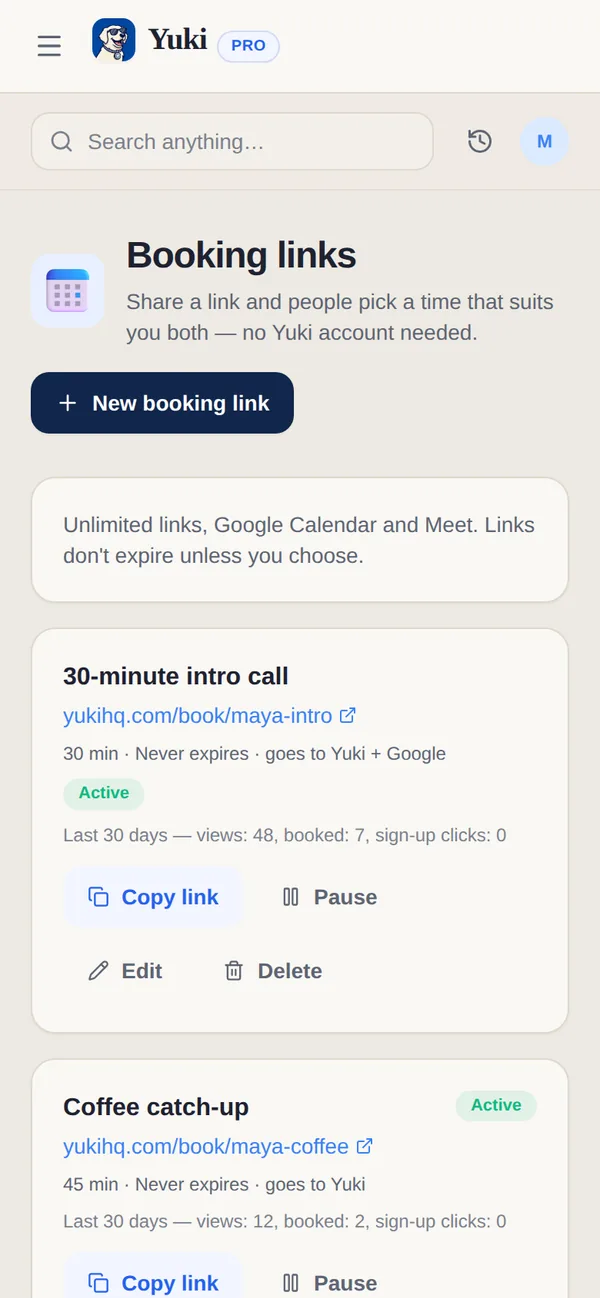
Each link shows its address, whether it’s Active, Paused or Expired, and its views and bookings over the last 30 days. Copy link, Pause or Turn on, Renew, Edit or Delete it from its card. Upcoming bookings are listed underneath; Cancel booking frees the time. When the booking was added to Google Calendar, Google emails the person; otherwise Yuki tells you to let them know.
| Capability | Free | Pro |
|---|---|---|
| Active booking links | 1 | No limit |
| Where bookings go | Yuki calendar | Yuki calendar and Google Calendar |
| Google Meet for bookings | — | Included |
| Link expiry | After 7 days (renew any time) | Doesn't expire unless you choose |
Good to know. For EU customers, booking data is stored in the EU. A booking is deleted 180 days after the meeting. More on the Booking links feature page.