
Talking to Yuki
Ask about your plans, add anything by saying it, and see what Yuki did in Activity.
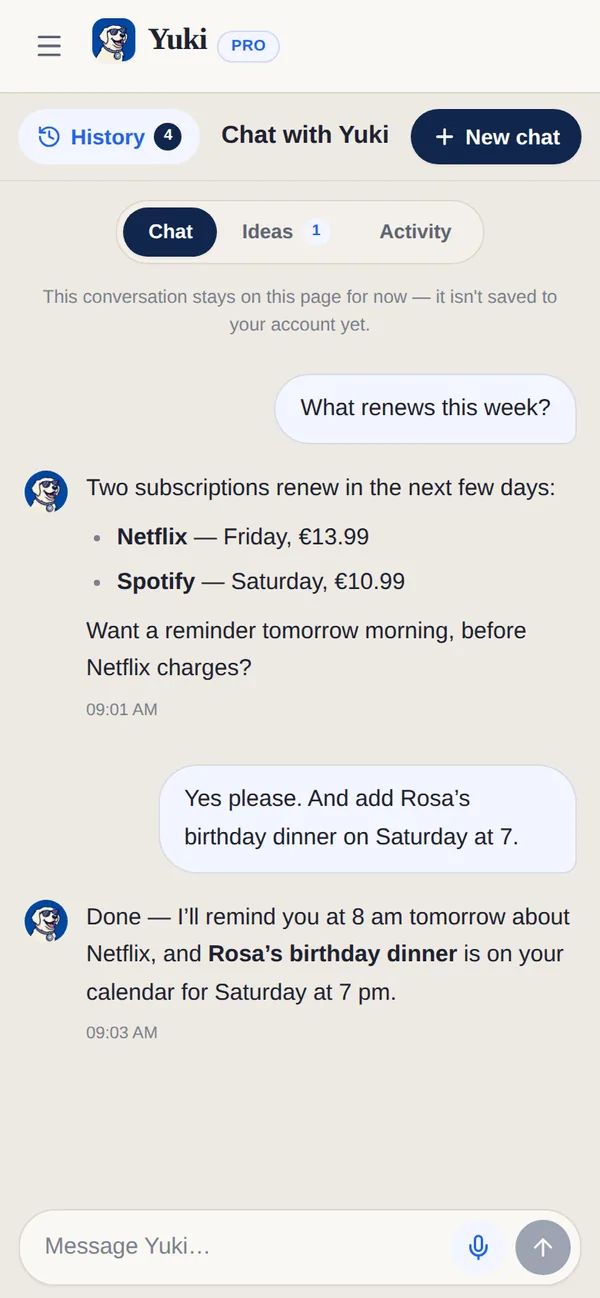
Chat is a tab on your phone and “Chat with Yuki” in the web sidebar. It is not a blank chatbot: Yuki already knows your calendar, your trips, what you spent and the groups you share things with, so it works on your life rather than on life in general.
Three things to try first
- 1Ask about today — “what’s on my agenda?” or “what’s due this week?”
- 2Add something by saying it — “dinner with Sam Friday 7pm”, “electricity bill €60 on the 28th”.
- 3Ask about money or a group — “what did I spend last week?”, “who owes what in the flat?”
Writing a longer message
The message box grows as you type, up to six lines, then scrolls. On the web, Enter sends and Shift+Enter starts a new line. The microphone lets you dictate instead.
Voice mode
To talk instead of type, open Voice mode — the “Talk to Yuki — voice mode” button next to the message box on the web, where your browser supports it. Speak to Yuki, click to interrupt, or choose Type instead.
Chat, Ideas and Activity
| Segment | What it is for |
|---|---|
| Chat | Ask, add and get things done. |
| Ideas | Things Yuki noticed it could do for you, each starting “I can …”. Tap Do it, or Not now. |
| Activity | Everything Yuki has done for you, by day, and anything waiting for your OK. Most things can be undone for 30 days. |
What Yuki remembers
Yuki only remembers things you told it yourself — never things inferred from reading your mail. Everything it holds is listed under What Yuki remembers (Settings → Yuki on the web, Profile → Yuki on the phone). Forget anything, any time — or just ask Yuki to forget it.
| Capability | Free | Pro |
|---|---|---|
| Yuki AI prompts (across the app) | 20 / month | 100 / month |